
Tools / Plate Solve & Annotate
Toolbar tool
Plate Solve & Annotate
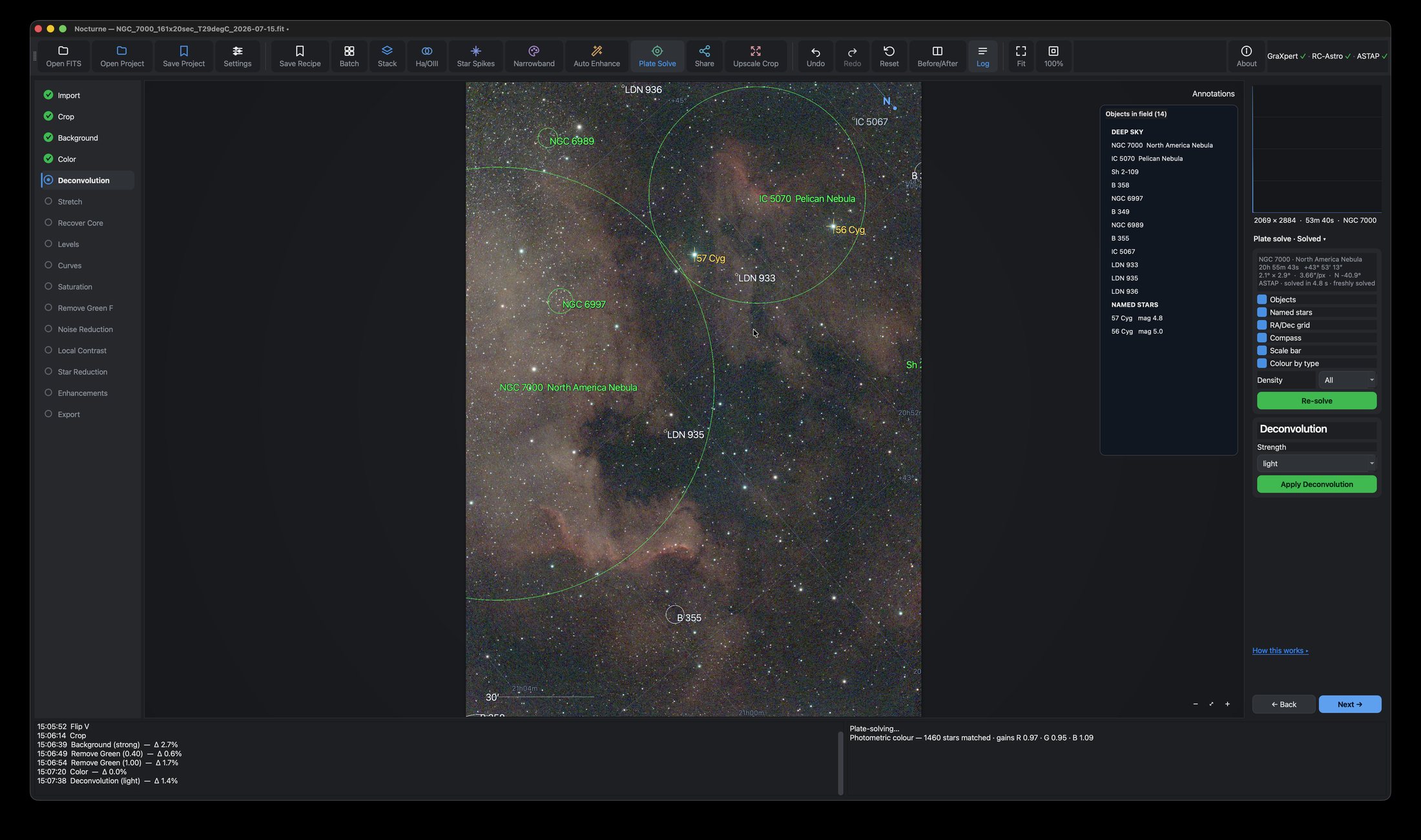
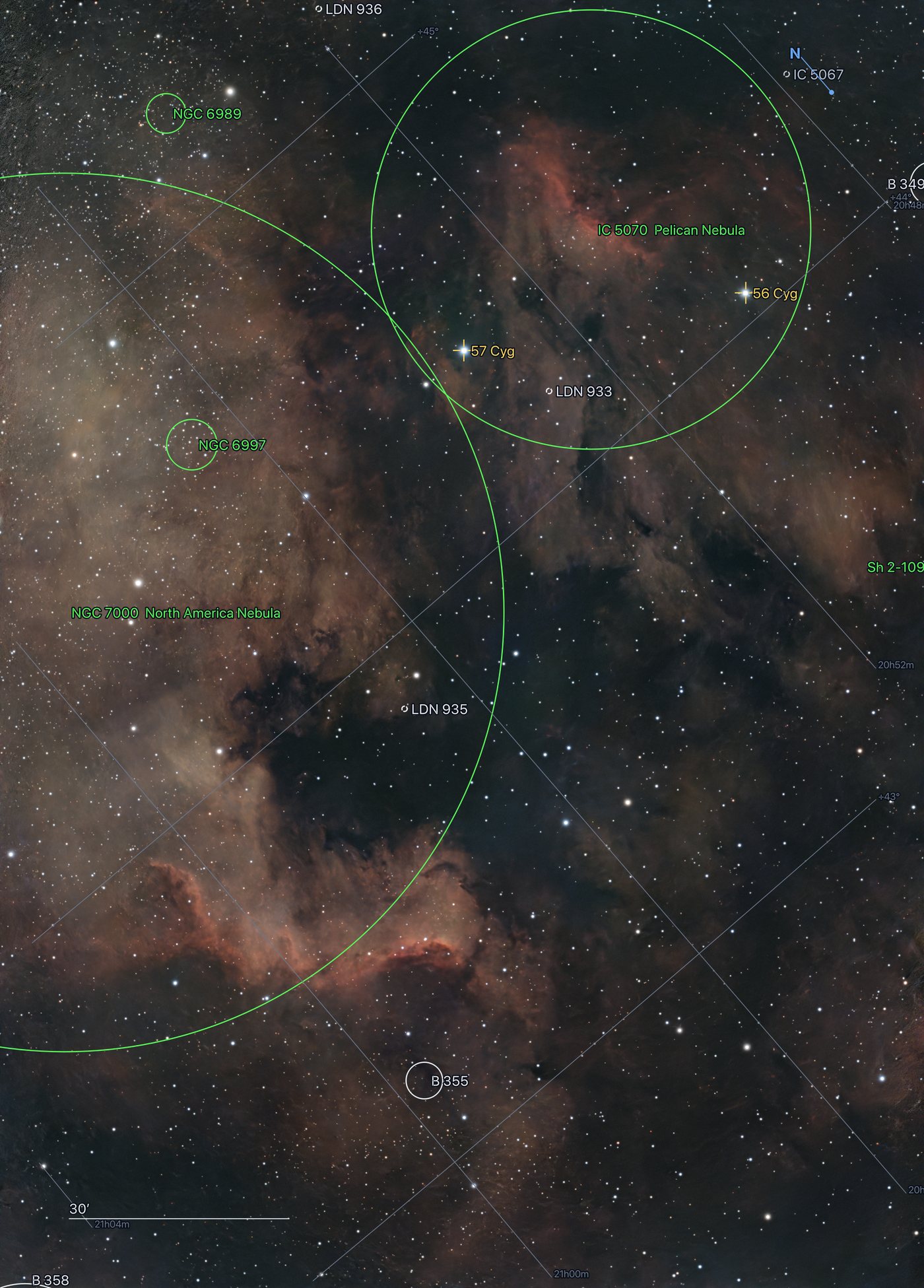
Find out exactly what you photographed — then label it. Objects drawn at their true size on the sky, named stars, an RA/Dec grid, a compass and a scale bar.
What it does
Plate solving works out where a photograph is pointing by matching its star pattern against a catalogue. Nocturne hands your frame to ASTAP, gets back real sky coordinates, and uses them to tell you what you captured — including the things you didn't know were in the frame.
It's the difference between "a nice nebula" and NGC 7000, with the Pelican in the corner and two dark nebulae running through the middle.
What you get
- Objects at their real size. Each circle is the object's true extent on the sky, not a marker — so a large nebula's ring shows how far it reaches, running past the frame edge when the object is bigger than your field. A dashed ring means the catalogue records no size.
- Named stars with Bayer and Flamsteed designations — 2,831 of them.
- A deep-sky catalogue of 15,890 objects: NGC and IC, plus Sharpless HII regions, Lynds and Barnard dark nebulae, and van den Bergh reflection nebulae. That's why the dark lane through the North America Nebula comes back labelled LDN 935.
- An RA/Dec grid drawn as true curved lines, with edge labels.
- A compass and a scale bar, so you can see orientation and angular size at a glance.
- Colour by type — violet for Messier objects, white for dark nebulae, cyan for planetary nebulae, orange for galaxies, yellow for named stars.
How to use it
- Install ASTAP and its star database, then set the path in Settings. (The database is a separate download from ASTAP itself — plate solving needs both.)
- Click Plate Solve in the toolbar, then press Solve. It takes a few seconds.
- Tick the layers you want and pick a Density — how crowded the labels are allowed to get.
- Click any row in the object list to jump the view straight to it.
- Use the Annotations button on the image to show or hide the overlay while you keep working.
Where the labels end up
Annotations aren't just a preview. Tick Burn annotations when you export a PNG and they're rendered into the file at full resolution — laid out again for the export size, not scaled up from the screen. Share can carry them too, so a labelled image still gets the social reframe and caption band. Exported FITS files carry the solution as a proper WCS header.
It also makes your colours honest
A solve is what makes photometric colour calibration possible: knowing where the frame points lets Nocturne look up real Gaia catalogue stars in it and correct the colour against them, instead of guessing from the image itself. On a typical frame that's around 1,500 matched stars.
Plate solving here is tuned for the Seestar S30 Pro. Frames from other instruments do solve, but the scale Nocturne falls back on is the Seestar’s — so expect a slower, less reliable solve unless you give ASTAP a scale hint.
Where this tool is on home ground, and where it is notTips
Solve early, while the stars are still crisp. The solution stays valid through every tonal step — stretching, denoising and star reduction don't move stars, they only change pixel values — so you solve once and keep the labels up for the rest of the edit.
Cropping, rotating or flipping does change the framing, so the solution no longer lines up and its annotations are hidden. Nocturne tells you when that happens; just re-solve.
If a solve fails, check the star database first — it's much the most common cause. Solving after Stretch can also help on a faint frame.
When a stacked master arrives without optical details in its header — which is common — Nocturne falls back to the Seestar's known image scale rather than solving blind, and the result card says when it did.