Tools / Narrowband
Toolbar tool
Narrowband
Turn a dualband Ha/OIII master into a finished two-gas colour image — in one press, with a live preview and a choice of palettes.
2gases recorded
3palettes
5live sliders
What it does
Takes a dualband master — the combined Hα + OIII signal the Seestar's light-pollution filter captures — and turns it into a finished narrowband-colour image. It removes the stars, maps the two gases to colour with your chosen palette, then screens the untouched stars back on top so they keep their natural look.
How to use it
- Click Narrowband in the toolbar (on a stretched colour image).
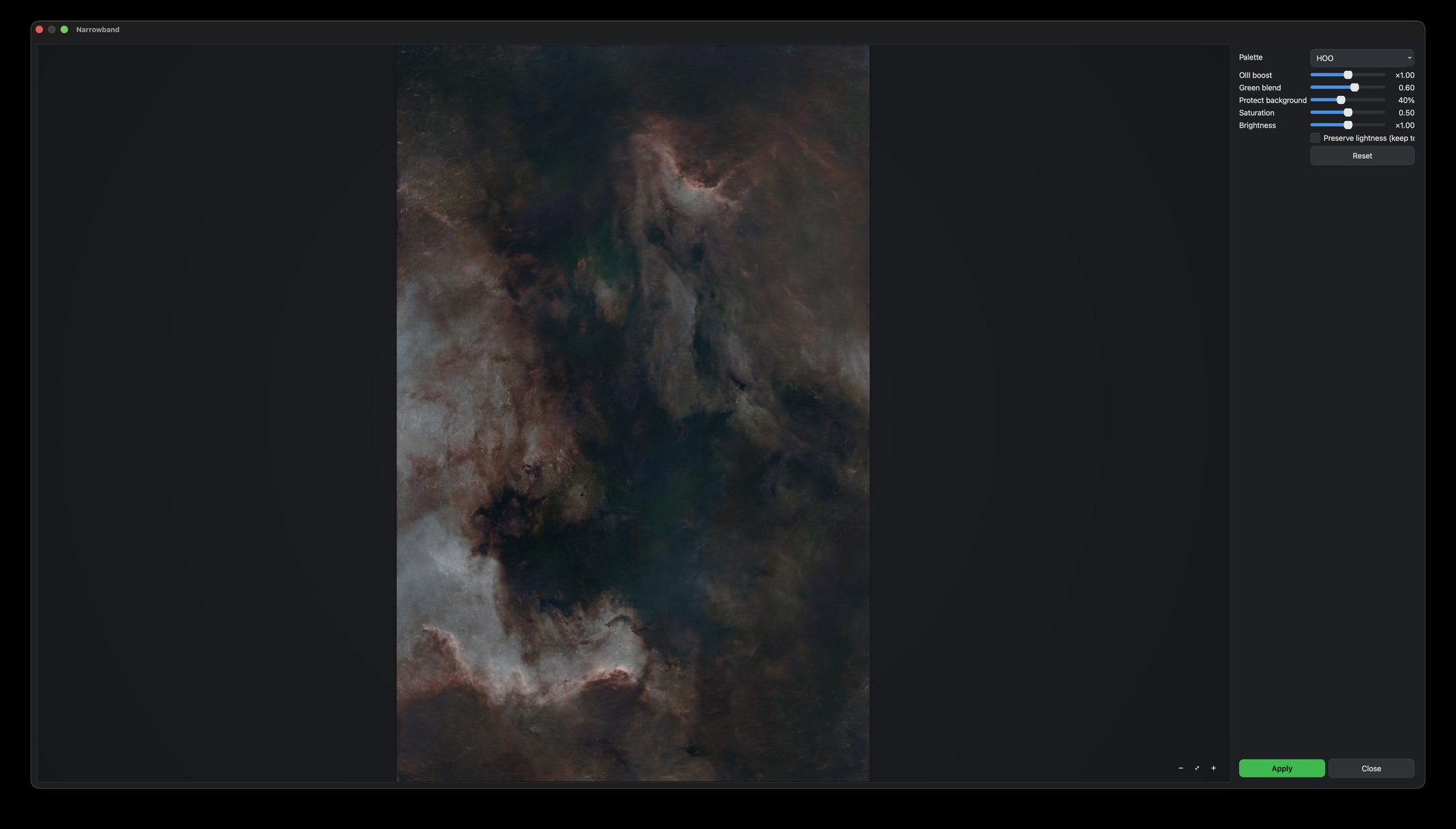
- Choose a Palette — HOO, Pseudo-SHO, or Pseudo-bicolor.
- Fine-tune with the live sliders: OIII boost, Green blend, Protect background, Saturation and Brightness, plus an optional Preserve lightness.
- Apply when it looks right.
The Seestar's dualband filter records Hα and OIII together, so a true SHO palette is not possible. These palettes are built from the two gases you actually have.
What this tool cannot give youTips
Start with HOO; it's the most natural for emission nebulae.